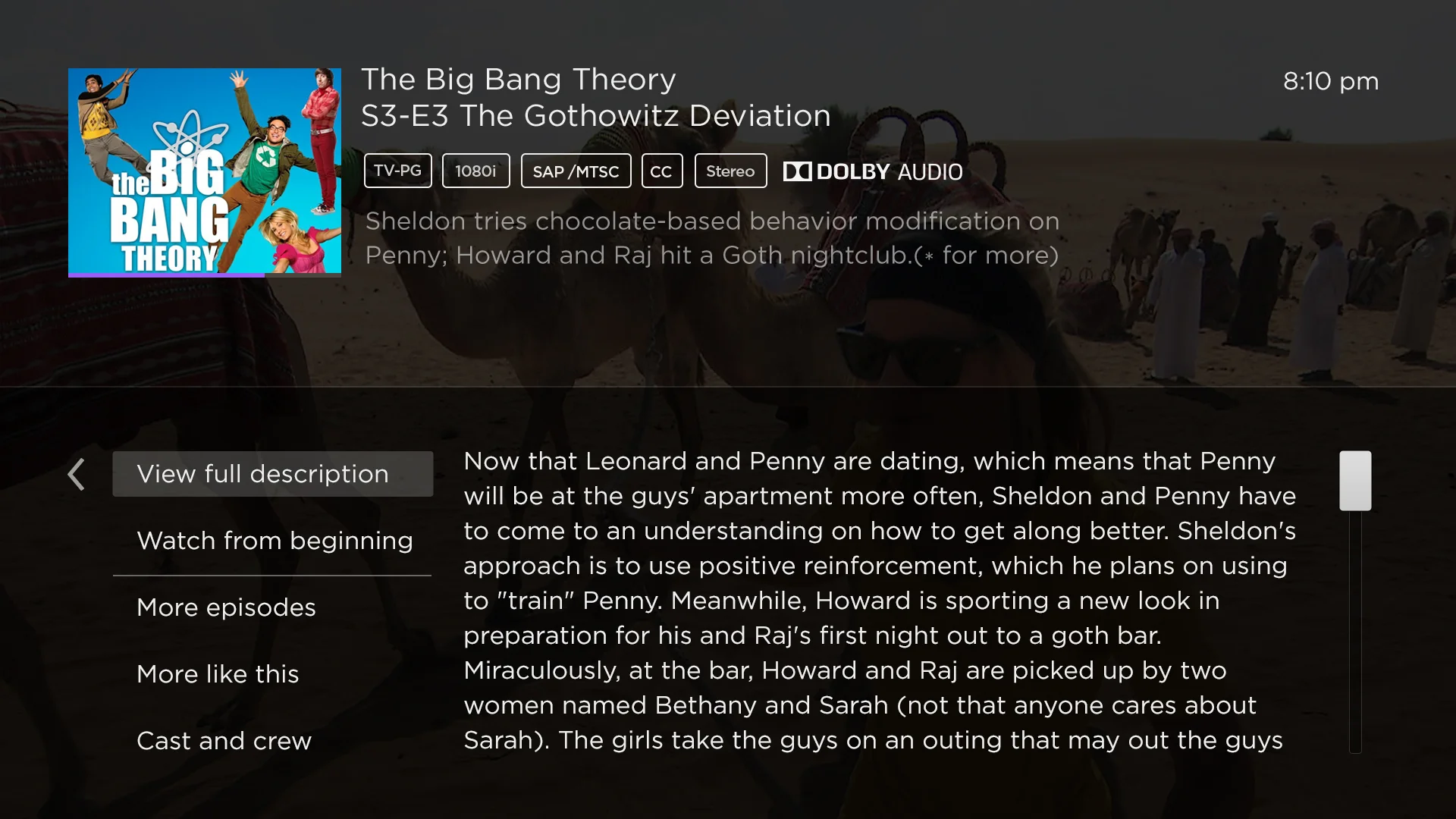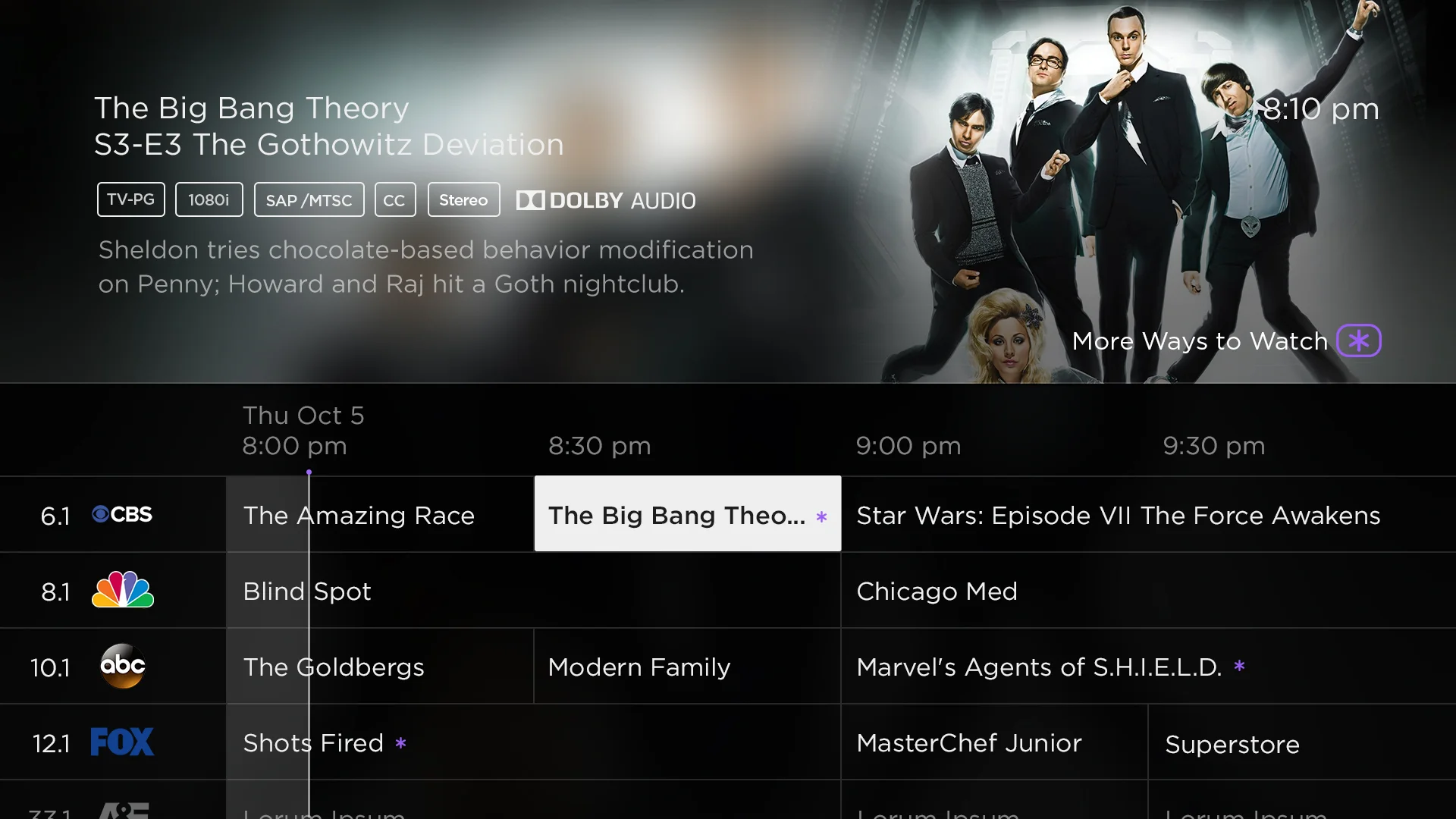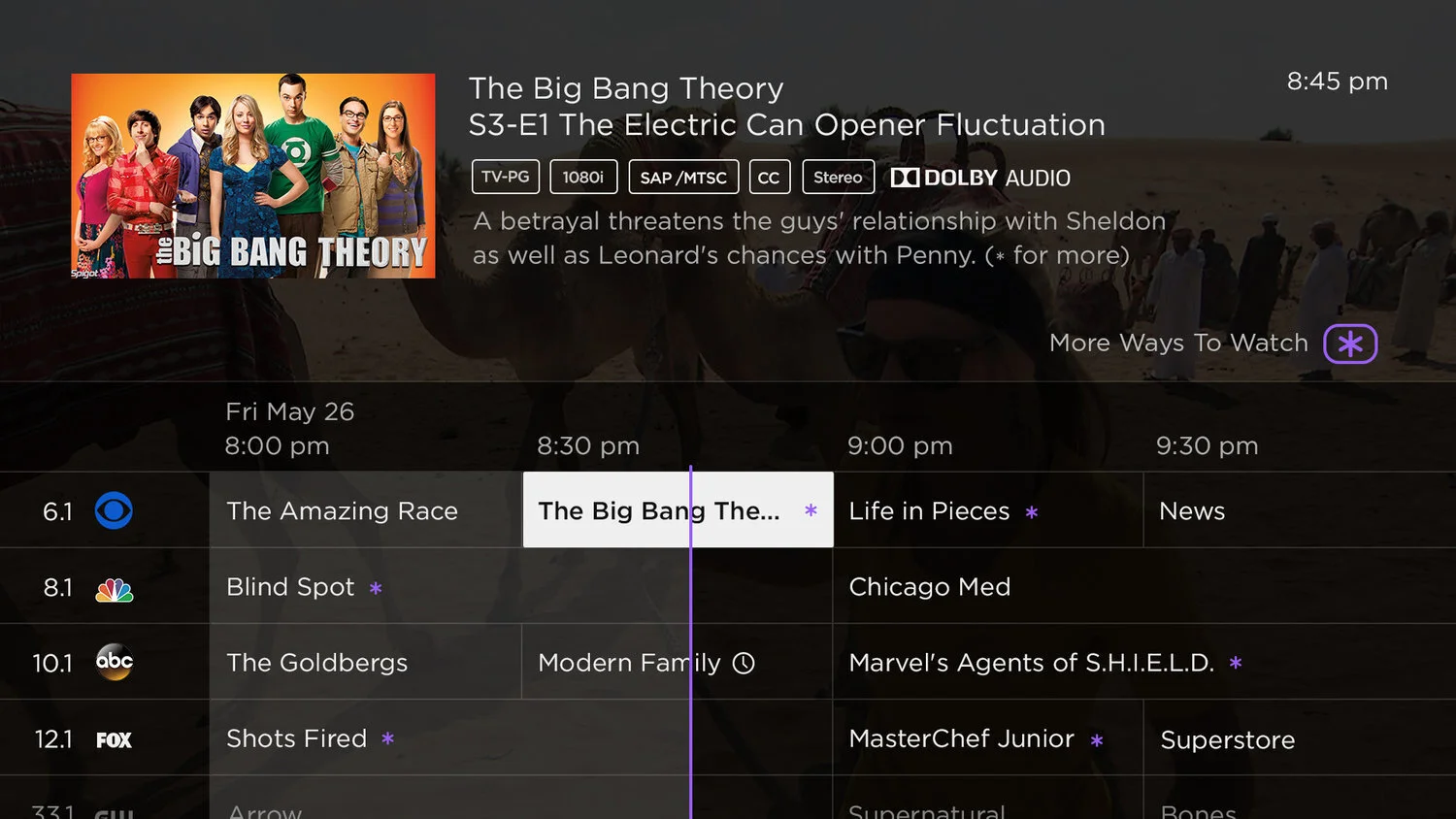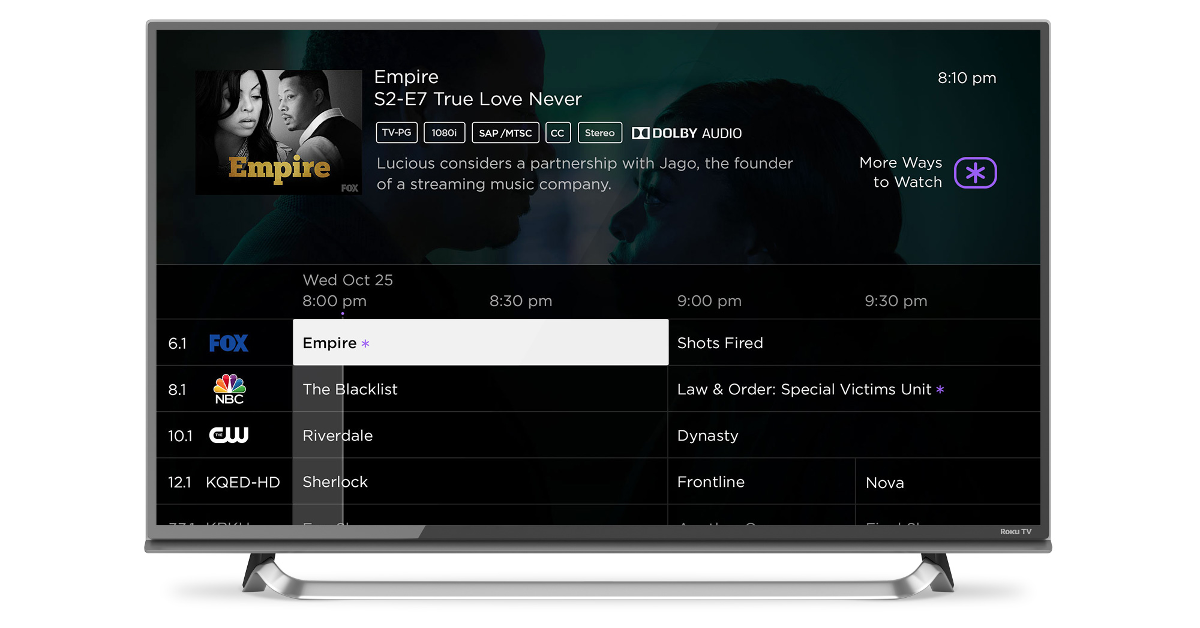
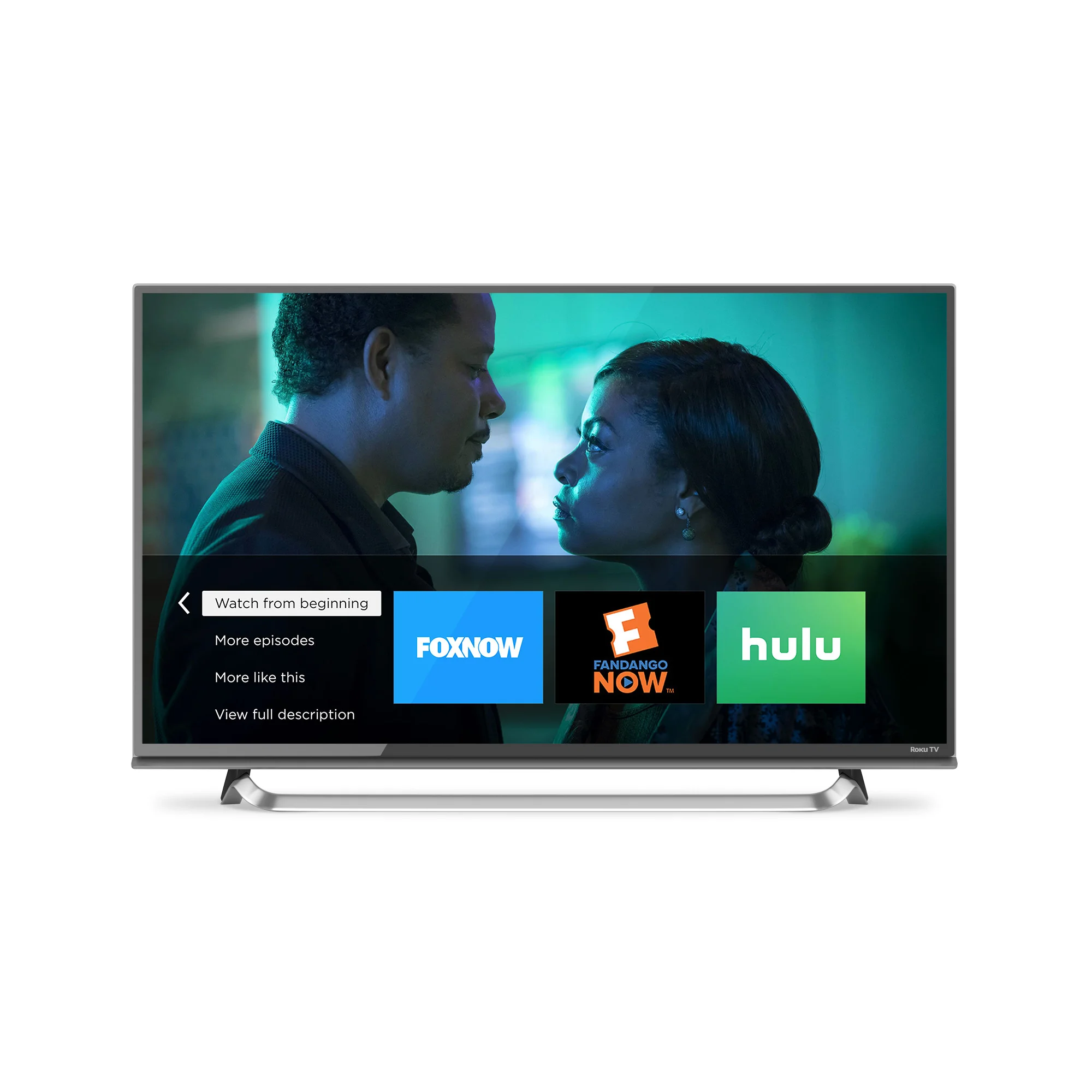
Roku TV Program Guide
THE PROBLEM:
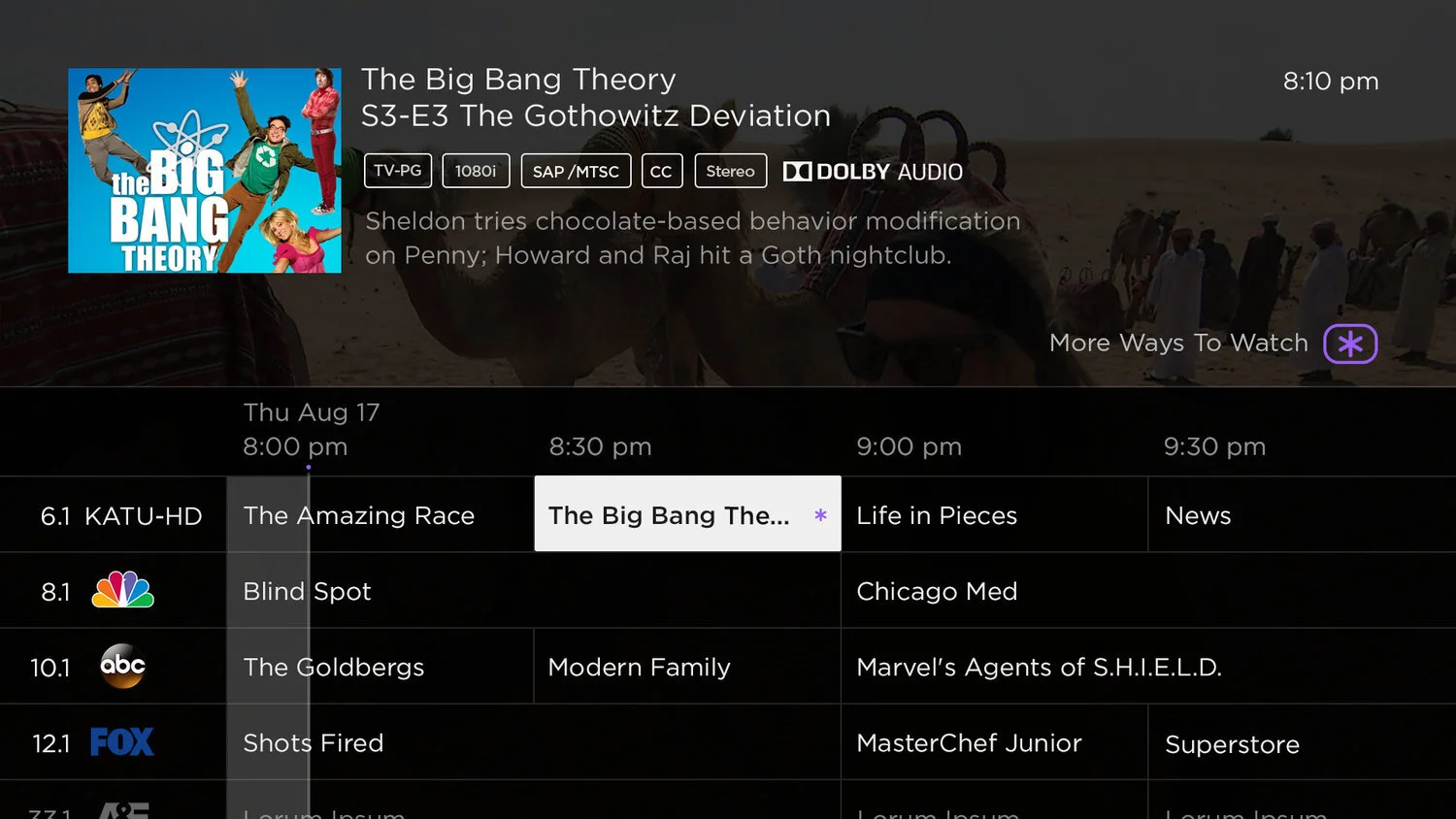
Antenna usage in the US has increased dramatically from 9% of US households in 2013 to 15% in 2017. Usage on Roku TVs is higher with 20% of Roku TVs that use antennas. With 20% of Roku TV users watching OTA (and that percentage will likely continue to increase), we should have the best OTA experience among TVs. Today we are behind Samsung and others. The goal is to provide a visually compelling EPG that makes the OTA experience on Roku TVs superior to other TVs on the market.
DISCOVER
Competitive audit:
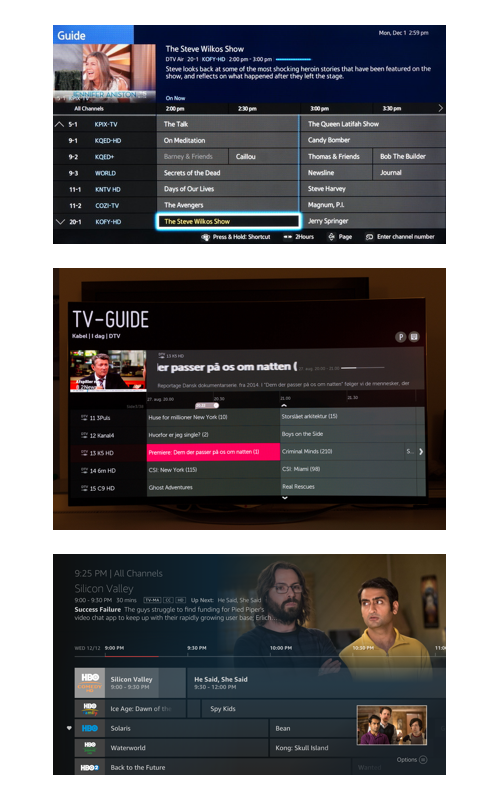
Examples
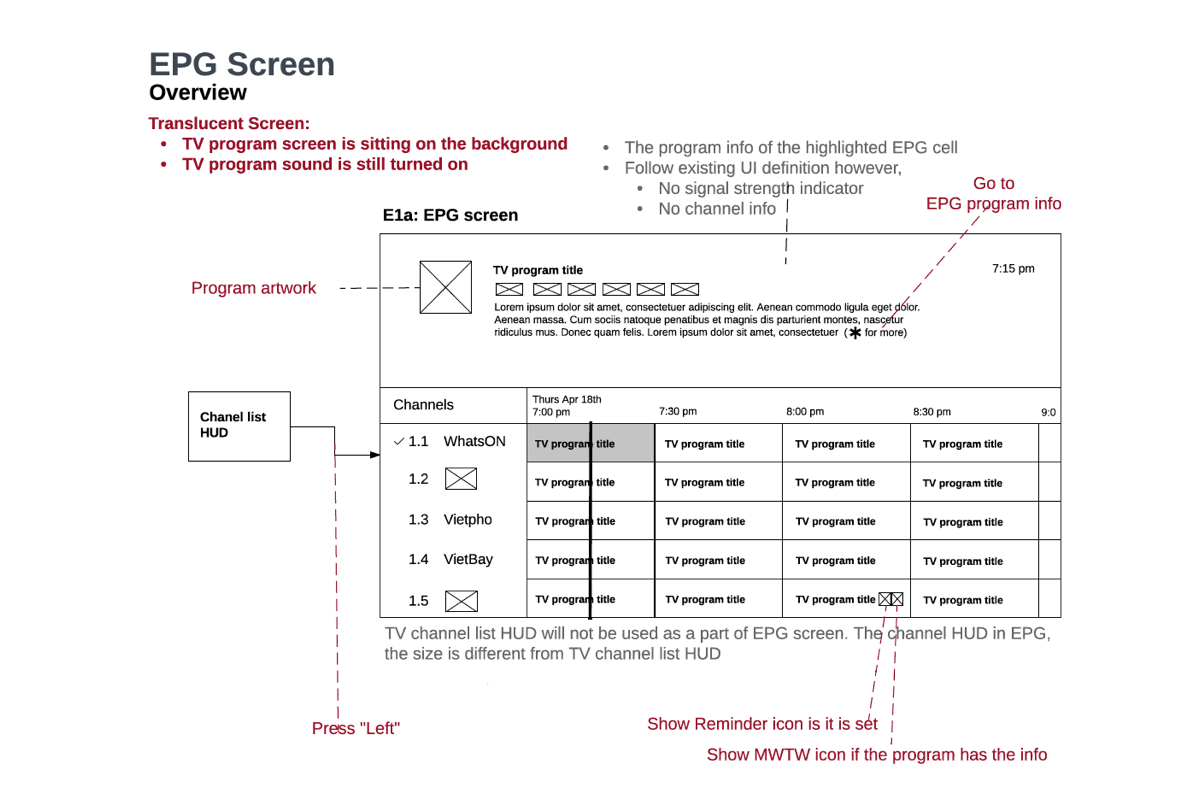
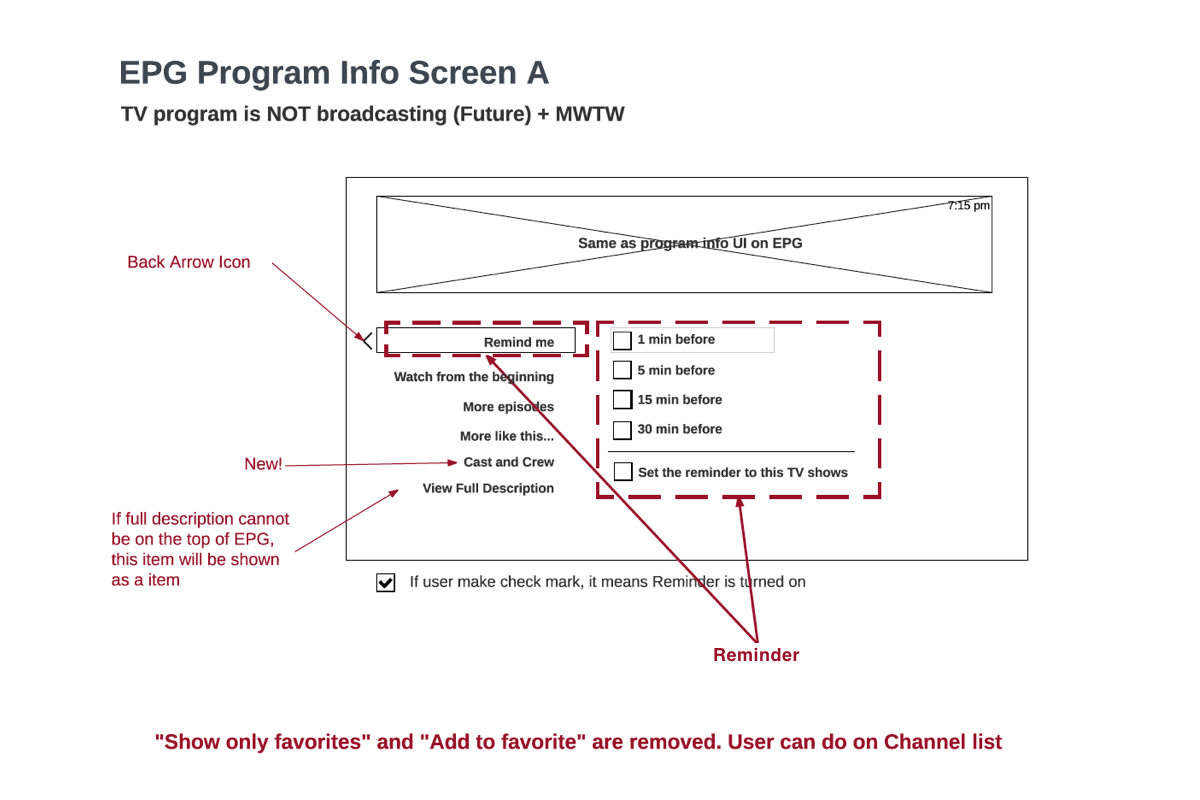
All competitors do not clearly indicate to users where the reminders feature set are.
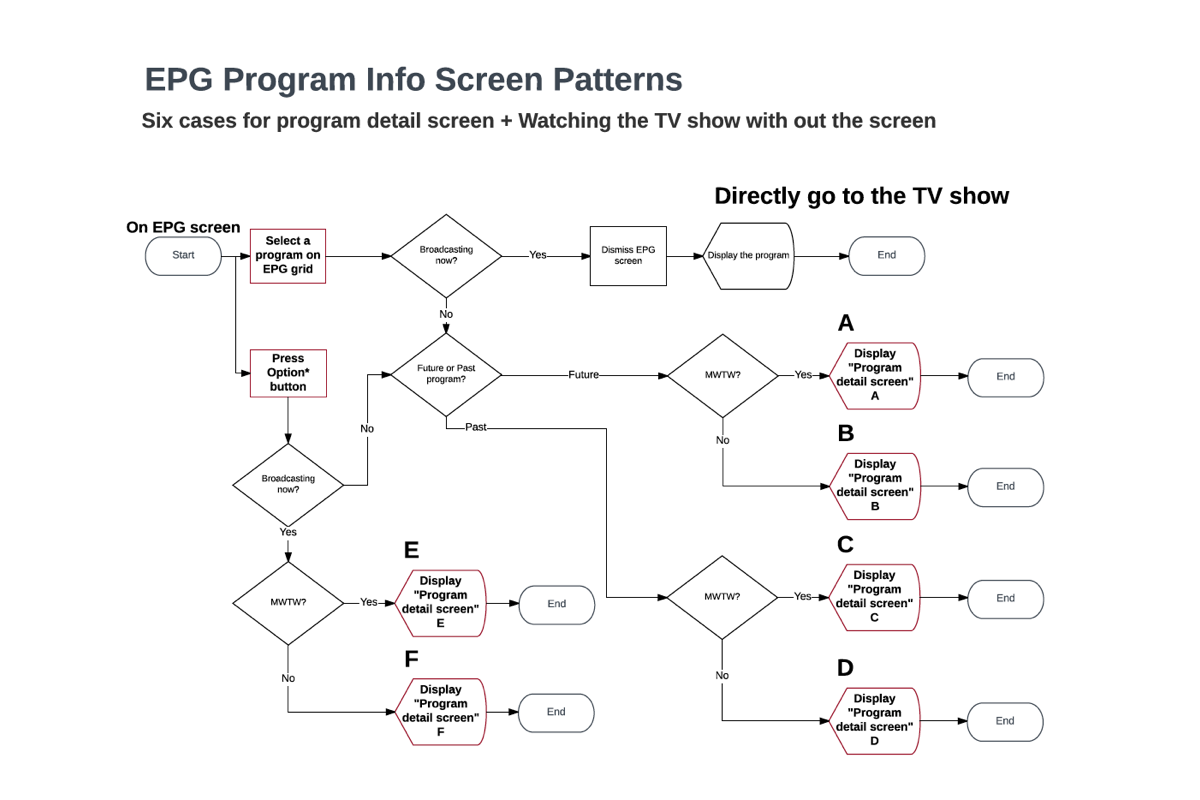
All competitors will show the program info screen once selecting a program on top of the EPG screen, instead of going to the program directory.
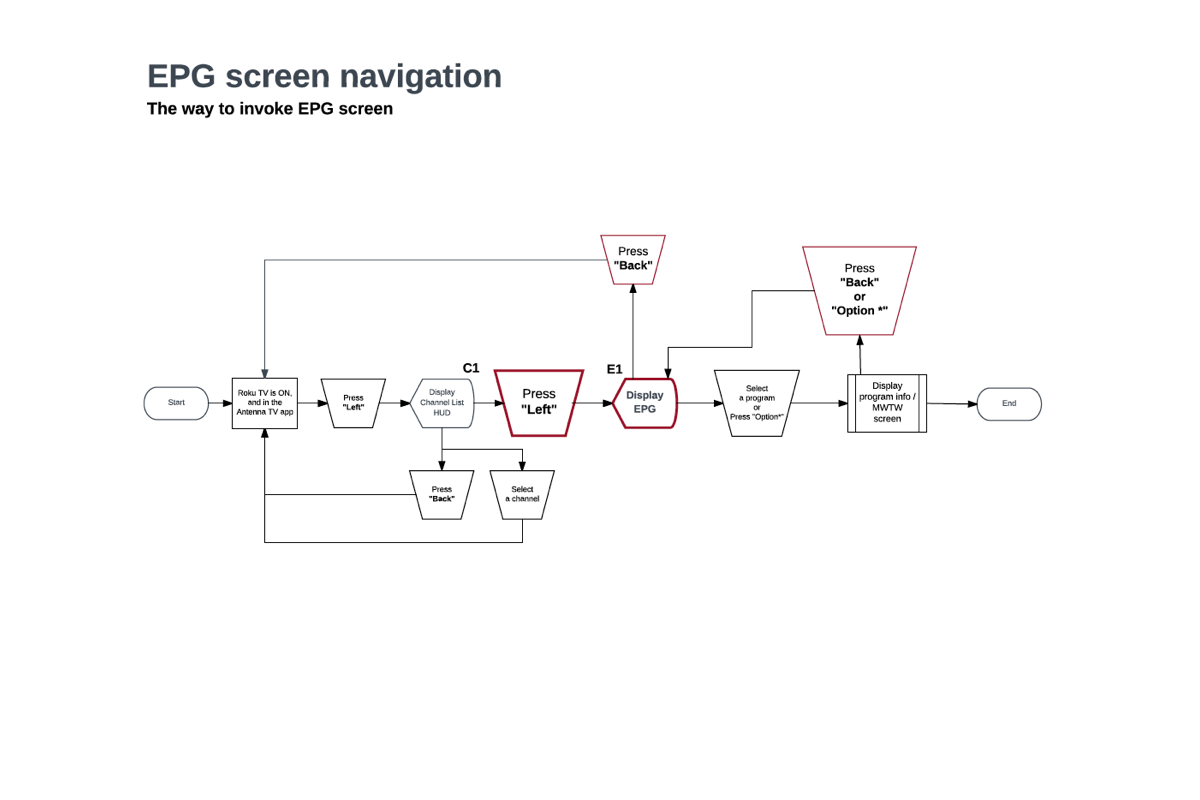
Sony and Samsung have HW buttons to invoke the EPG, unlike LG. The user needs to go to the channel list then press HW "Green" key.
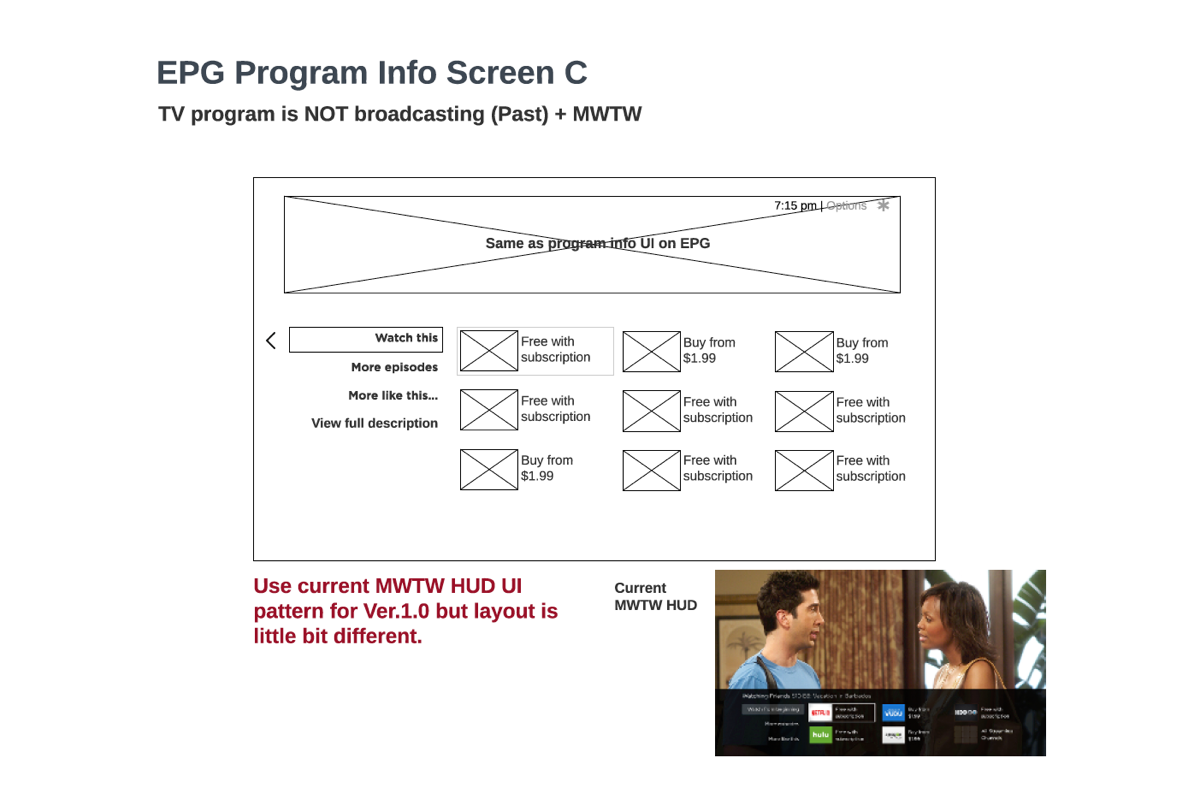
Only Sony Android TVs have MWTW. Samsung has MWTW for only linear TV programs.
LG has navigation issues on the EPG screen. Highlighting will move not only on the EPG cell but also on any action buttons or scroll buttons. It’s very confusing. We need to avoid this complexity.
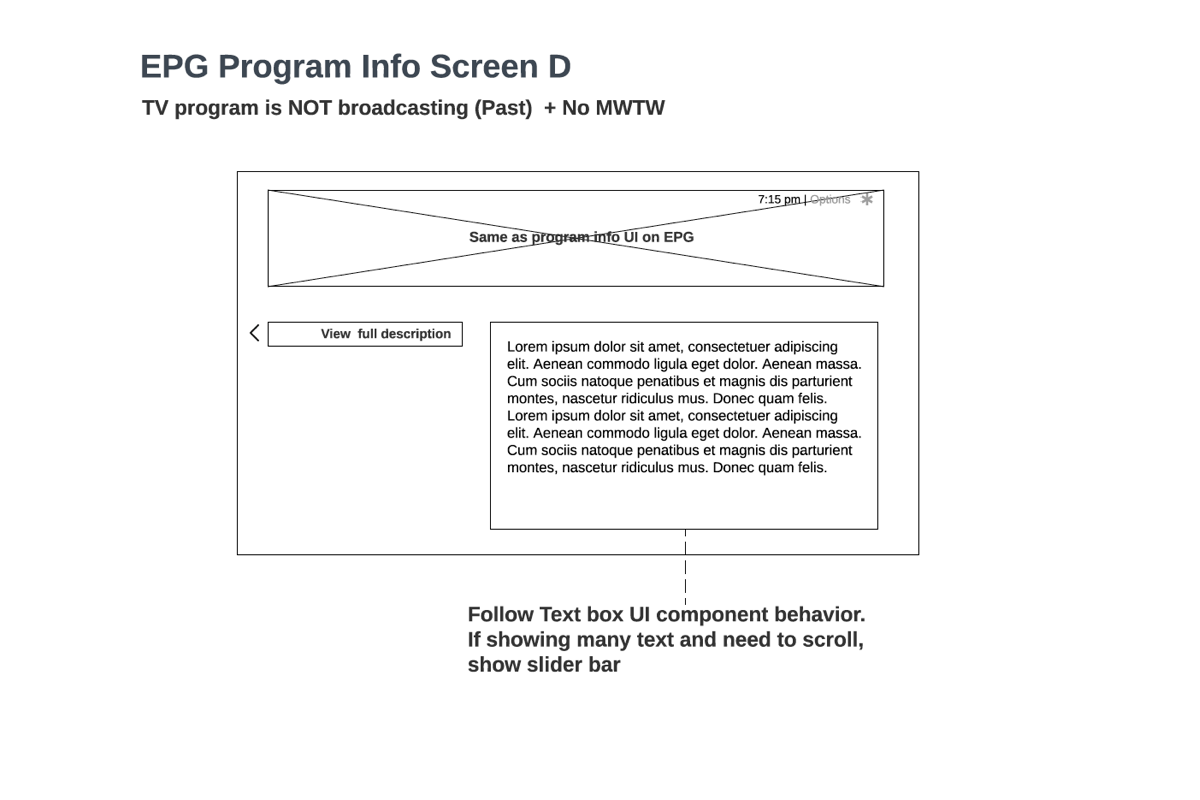
No past EPG info available for all competitors. If we can show MWTW on the past EPG, the user can enjoy TV shows and movies they missed.
No reminder info on the mobile app for all competitors. It will be better user-centered design since most people are not always sitting in front of a TV. Showing a reminder indication on the TV does not make sense. It will be a killer feature.
Key Findings
Too many info and too small font size will lose the usability.
No past EPG. Past EPG is the opportunity to guide the user to OTT service. e.g., When user missed to watch the content.
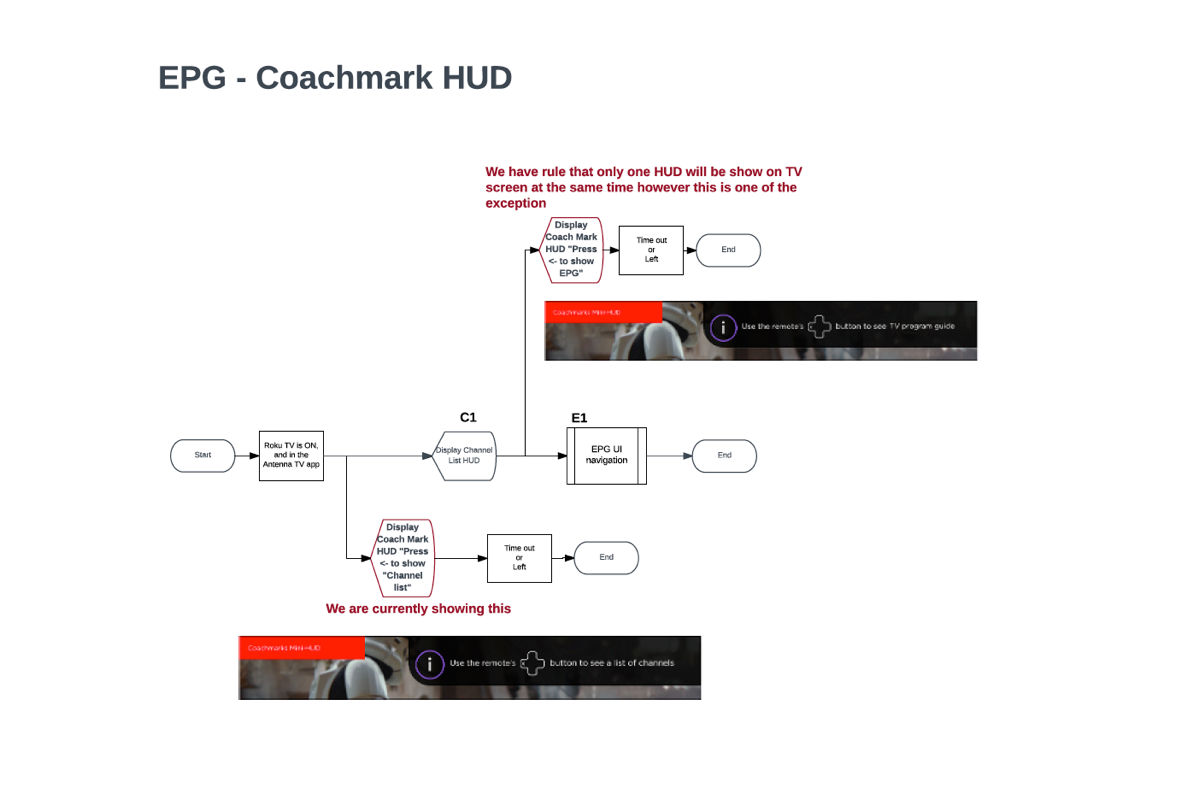
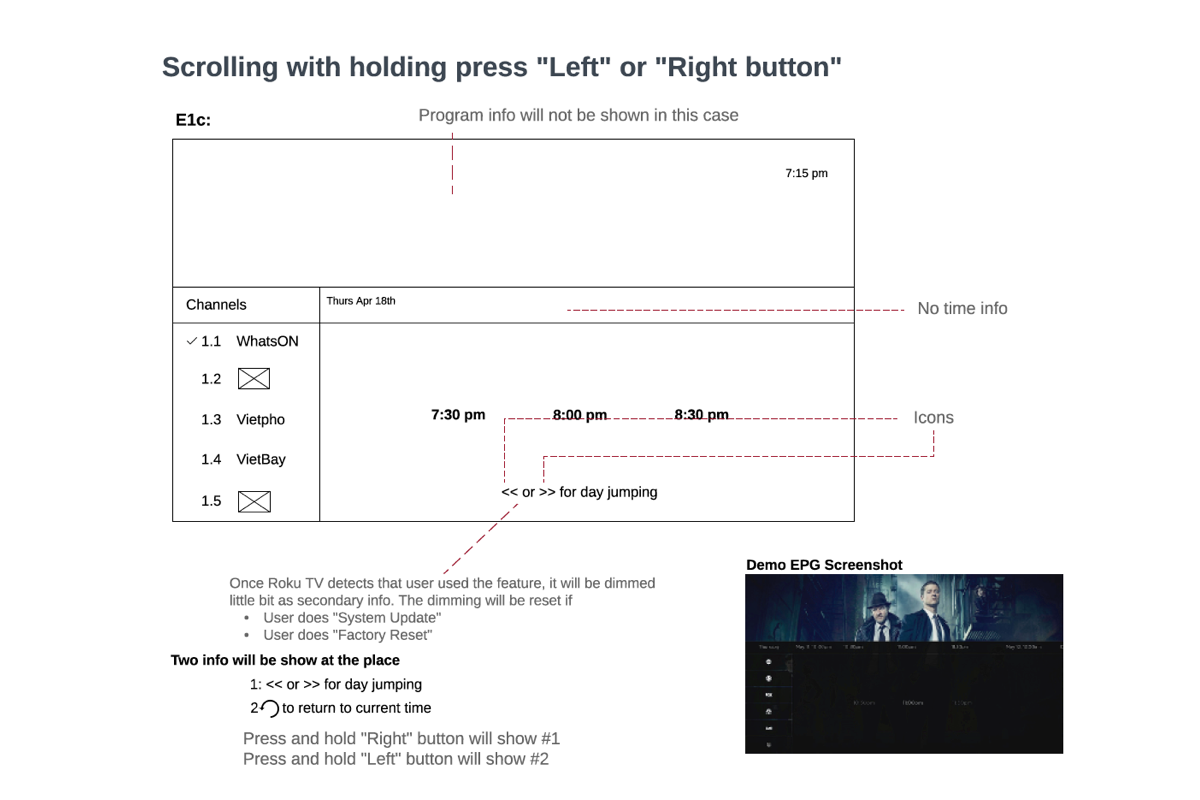
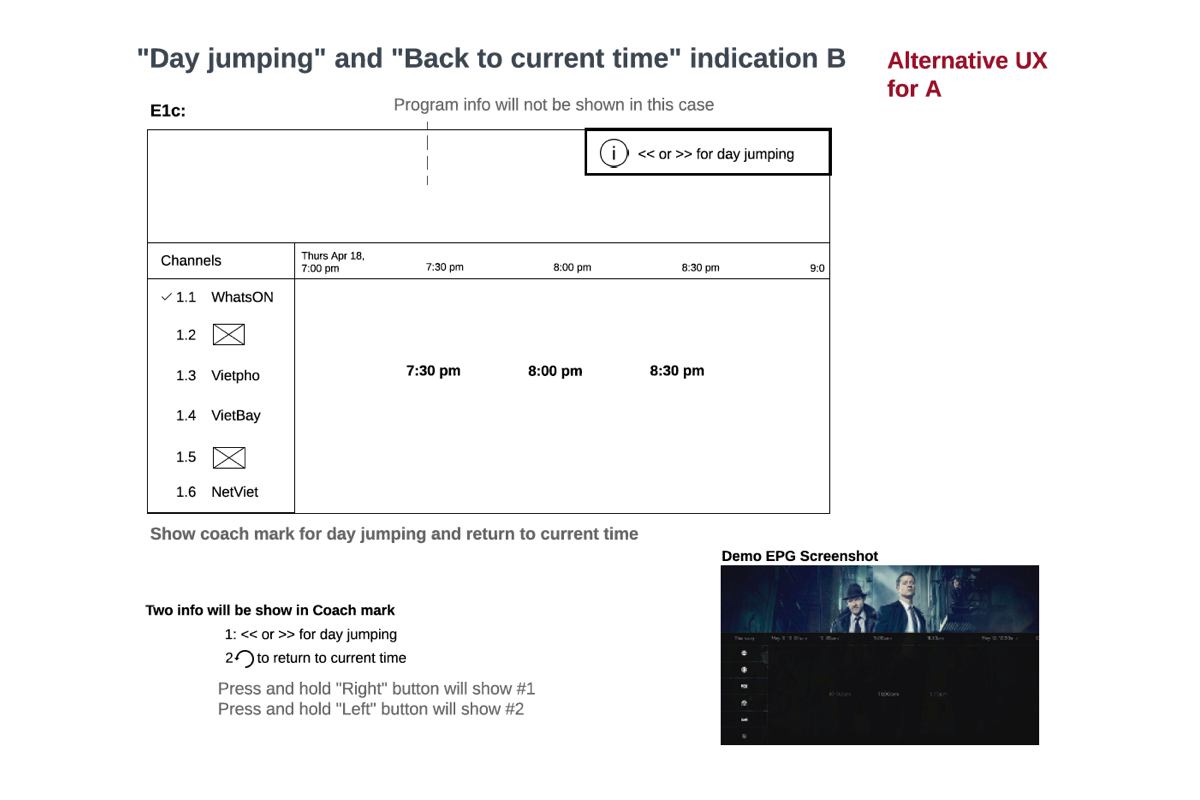
In case of no dedicate EPG button on the remote, notifying how to evoke EPG is important
2. DEFINE and DESIGN
THE GOAL:
User
Understand the value of an OTA EPG to users, while preserving existing TV viewing behavior
Design
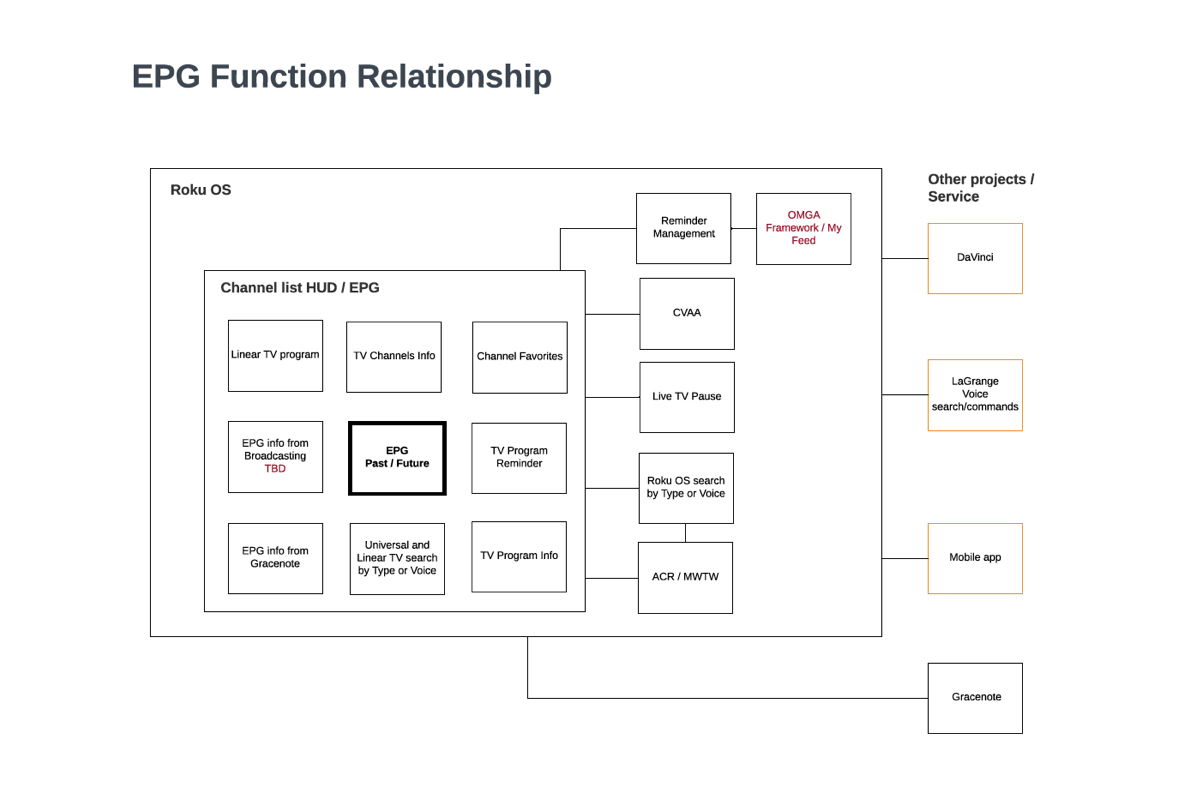
Usability: Leverage familiar TV and Shoji-UI design paradigms, while extending existing capabilities
Flexibility: Create a uniform Channel Guide experience across all Roku platforms, modularized so that partners can choose different options
Scalability: Designed to handle an ever-growing amount of content
Forward compatibility: Designed to extend and accommodate new capabilities
Business
Provide a visually compelling EPG that makes the OTA experience on Roku TVs superior to other TVs on the market.
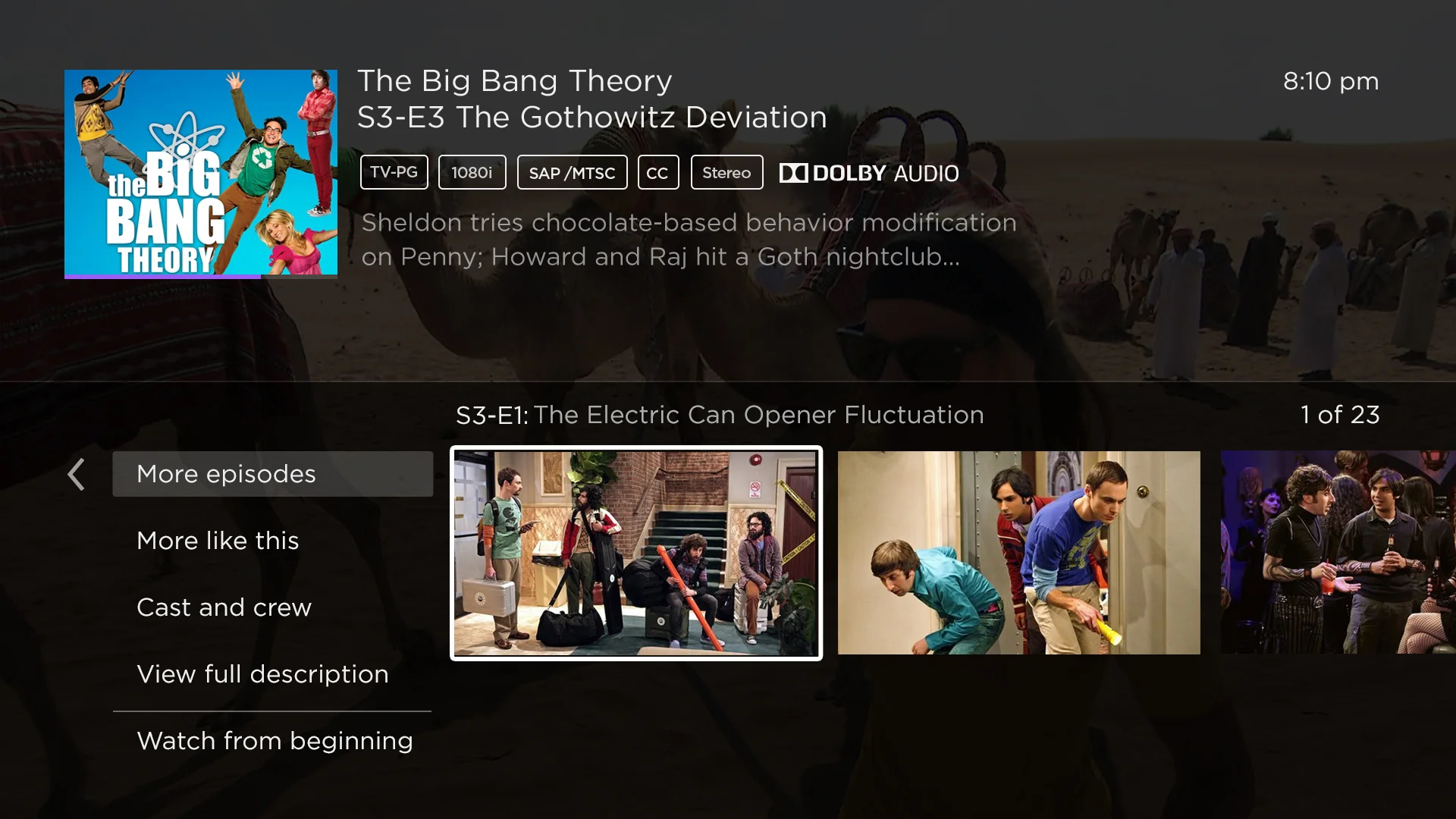
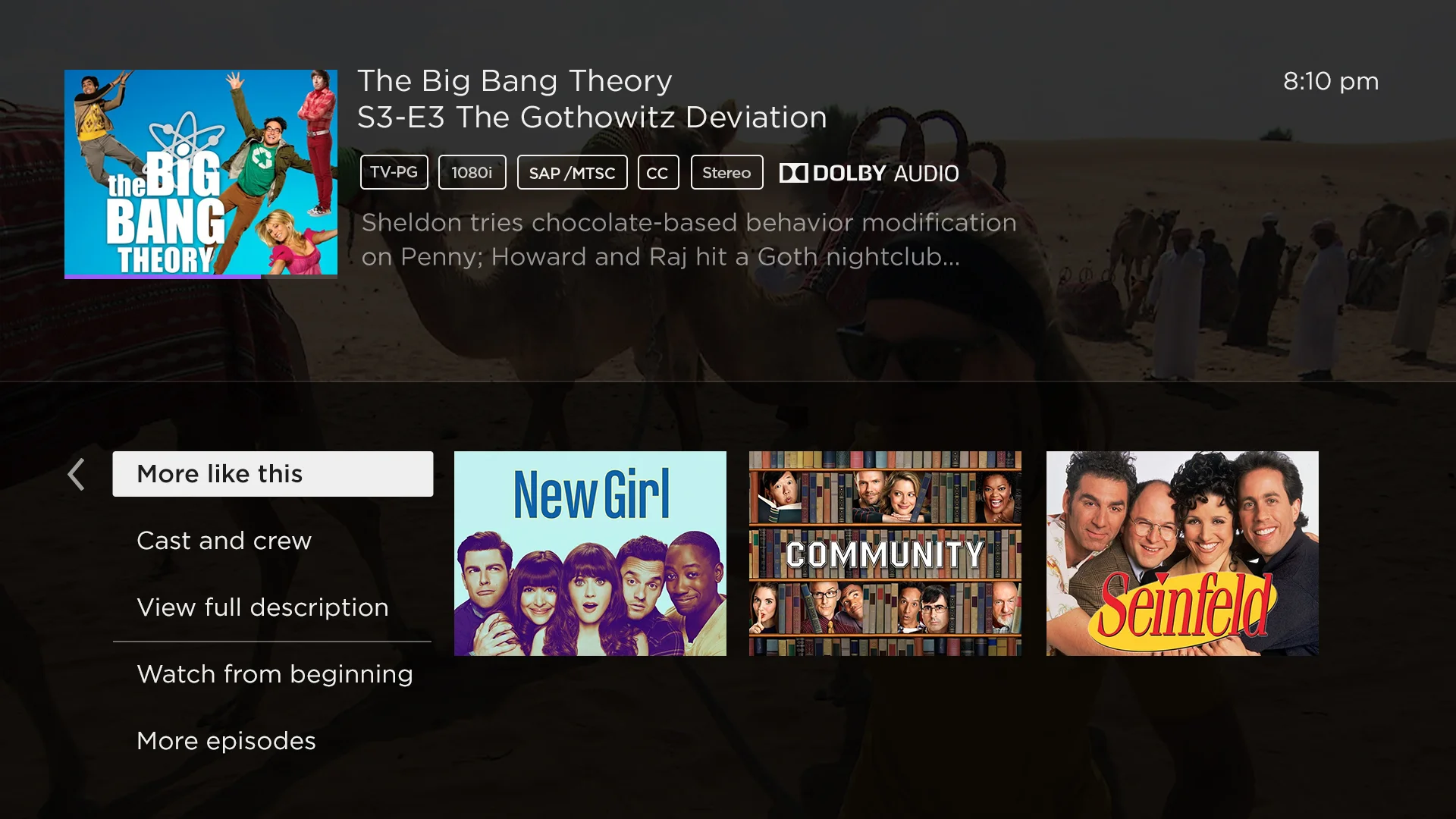
Provide more ways for users to pivot from OTA to VOD
Dedicated section at the end of the EPG for channel partners and promotions related to user viewing habits
3. BUILD, TEST, ITERATE
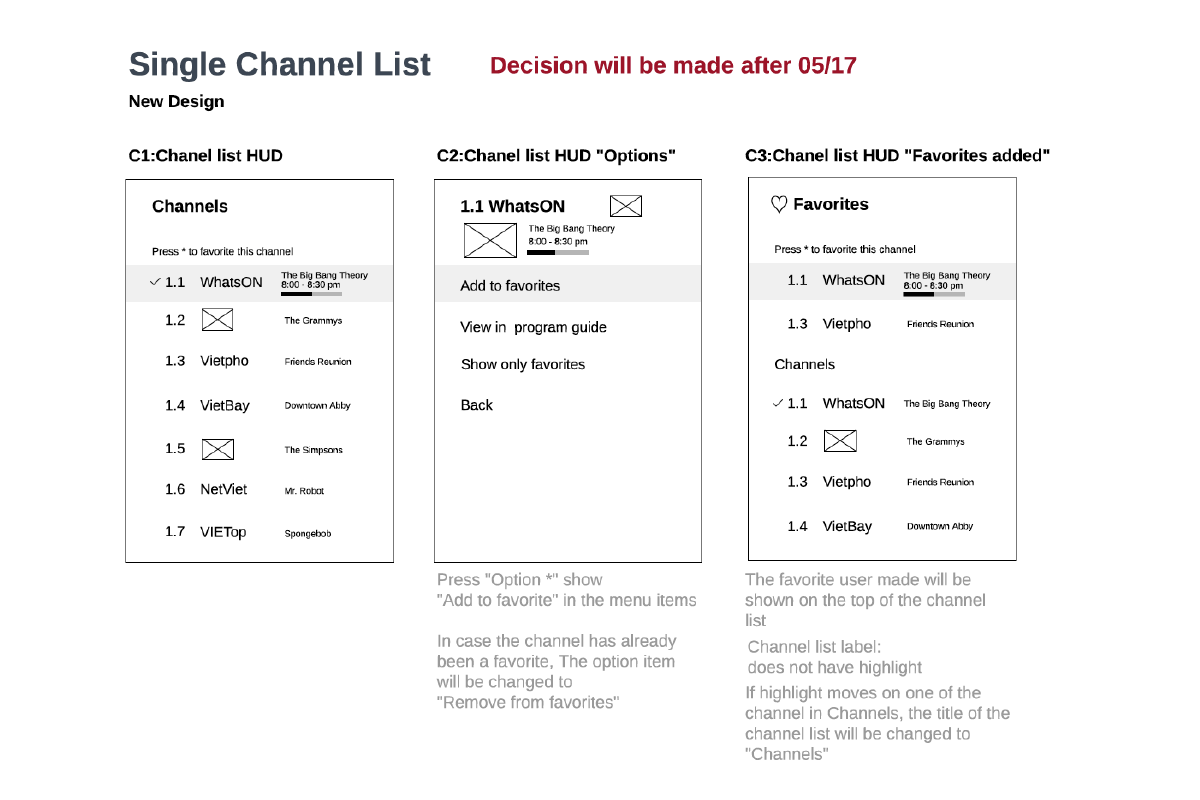
User study 1 (Favorite channel duplication)
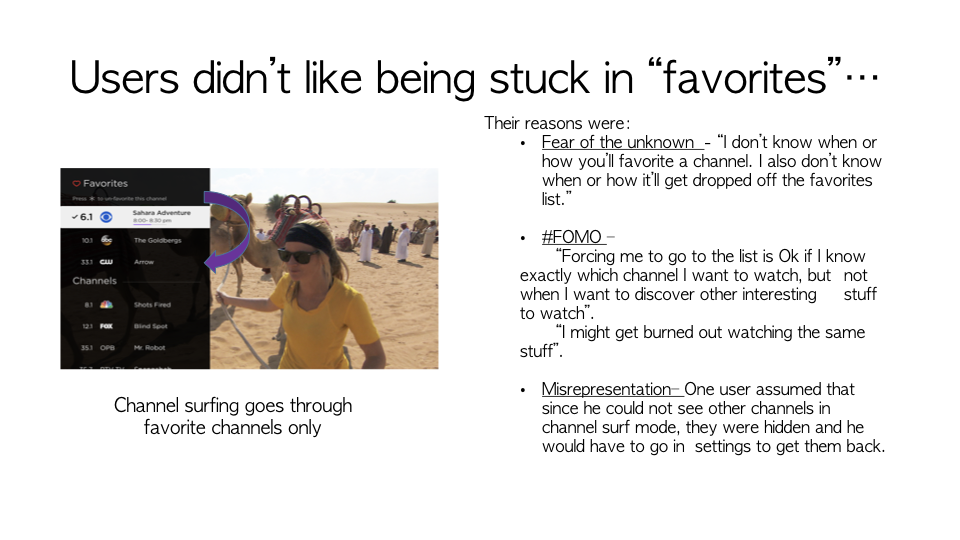
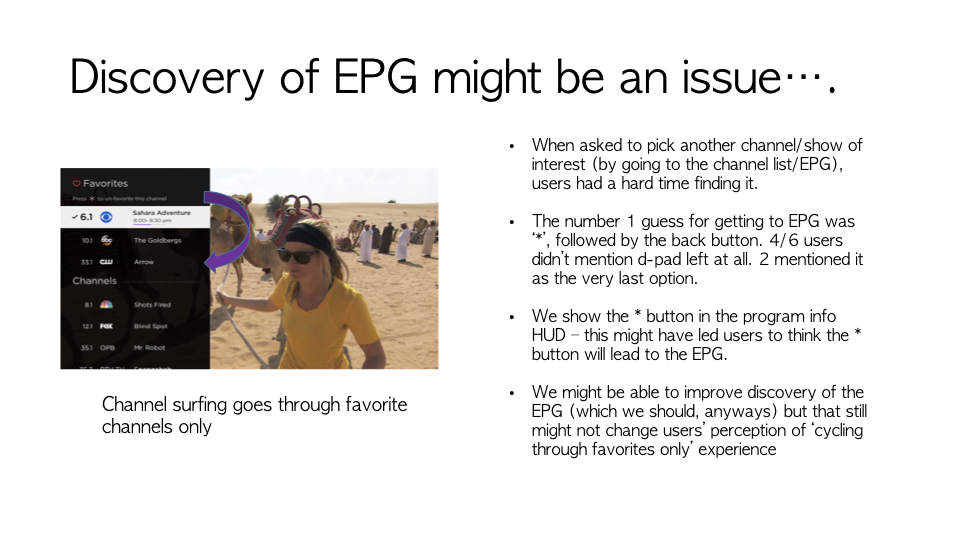
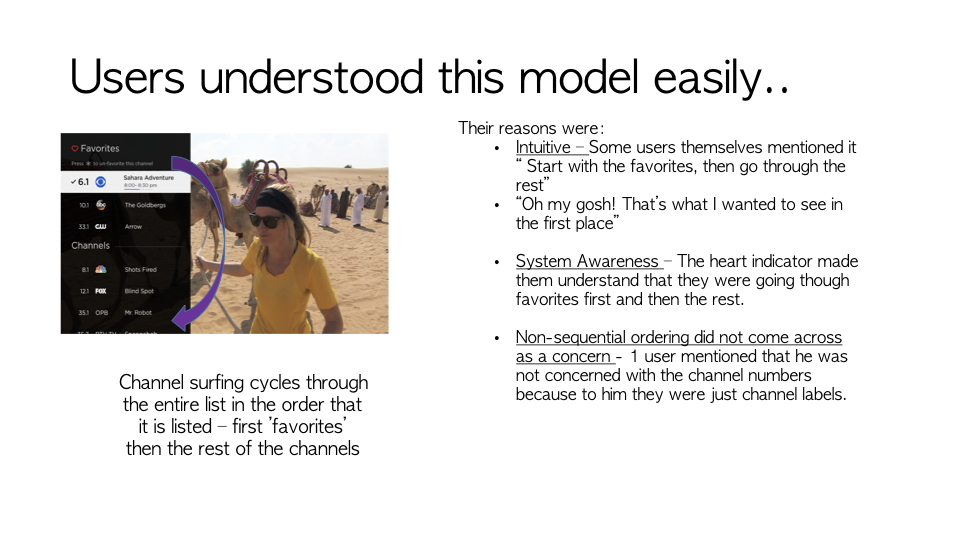
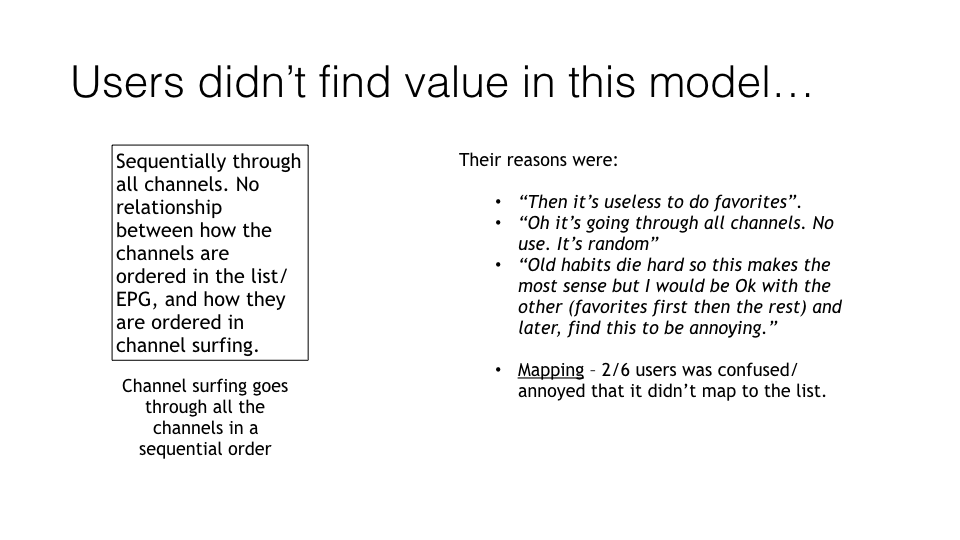
In order to design the OTA experience for Roku TV, we wanted to know which model is the easiest for users to understand and grasp while going through the EPG as well as channel surfing:
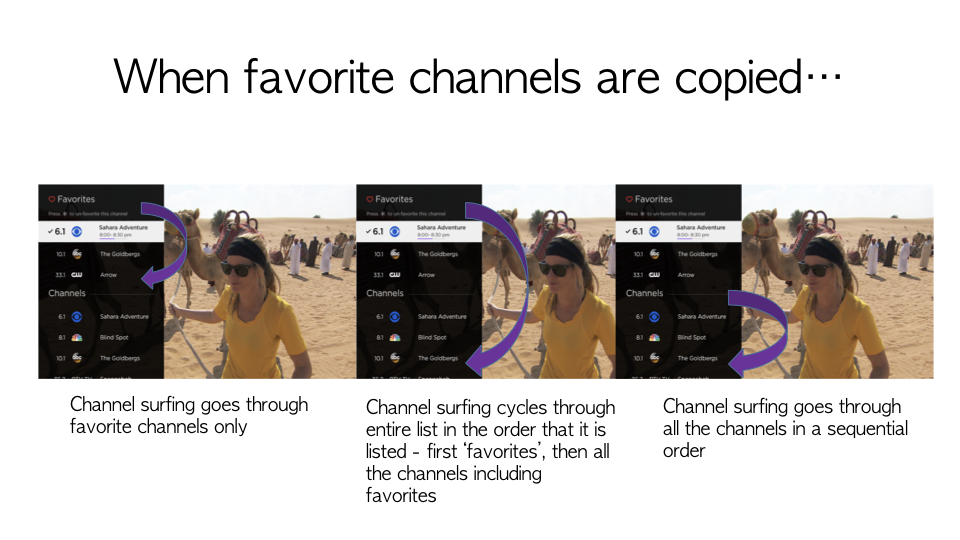
If favorites are copied (i.e. favorite channels will exist in both channel list and favorite list)
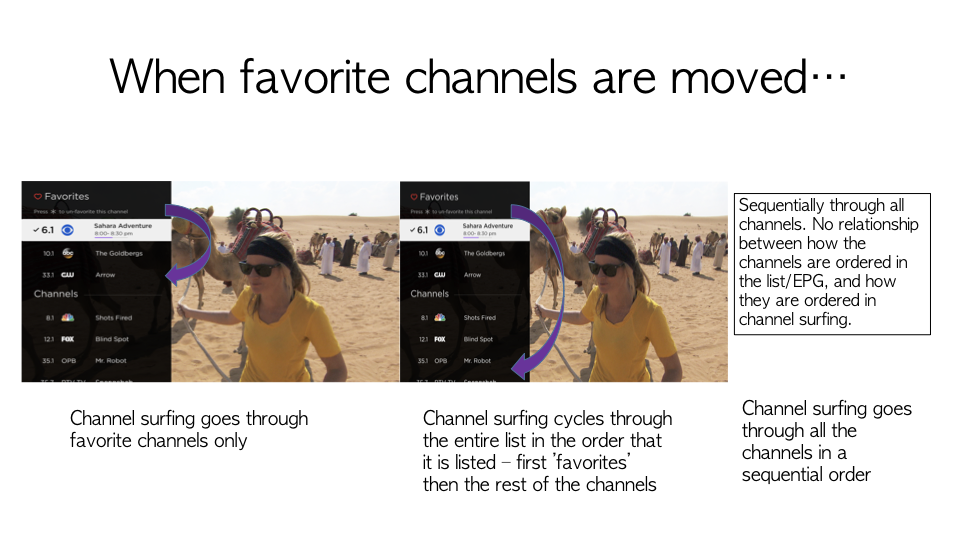
If favorites are moved (i.e. favorite channels exist only in favorites list)
Are there any concerns with any of the models? We did a study with 6 internal employees (non-engineering and not working on Roku TV) using a combination of participatory design and low-fi prototype testing.
Outcomes
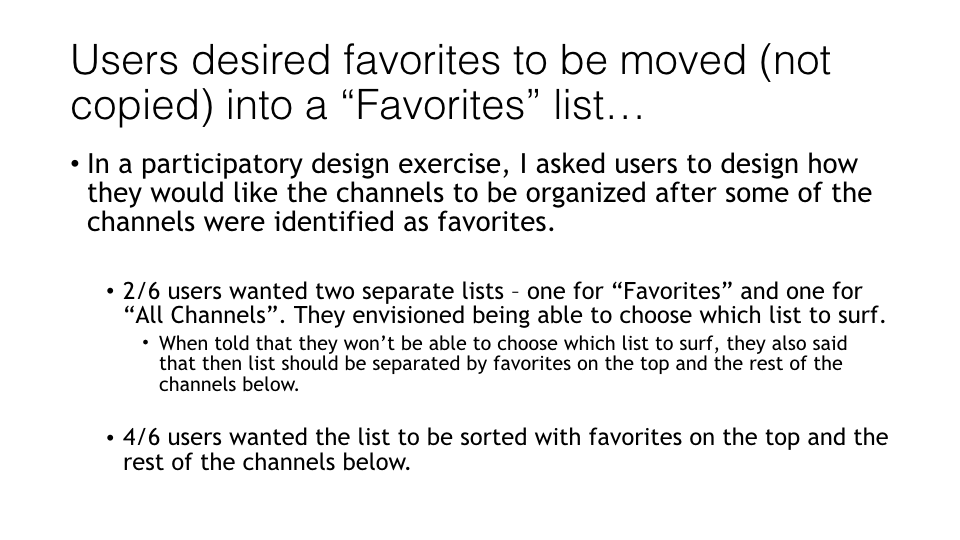
Users desired favorites to be moved (not copied) into a “Favorites” channel list
2/6 users wanted two separate lists – one for “Favorites” and one for “All Channels”. They envisioned being able to choose which list to surf.
4/6 users wanted the list to be sorted with favorites on the top and the rest of the channels below.
User study 2 (Navigation)
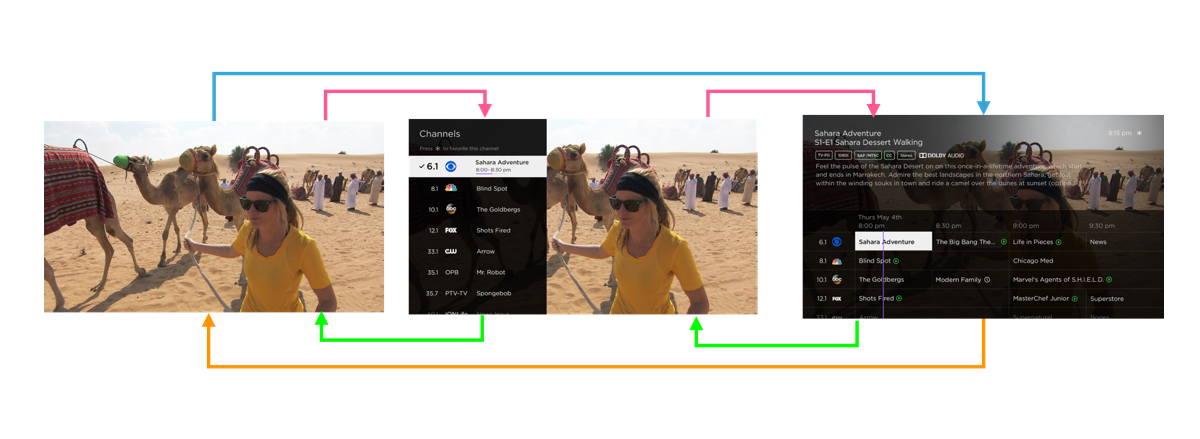
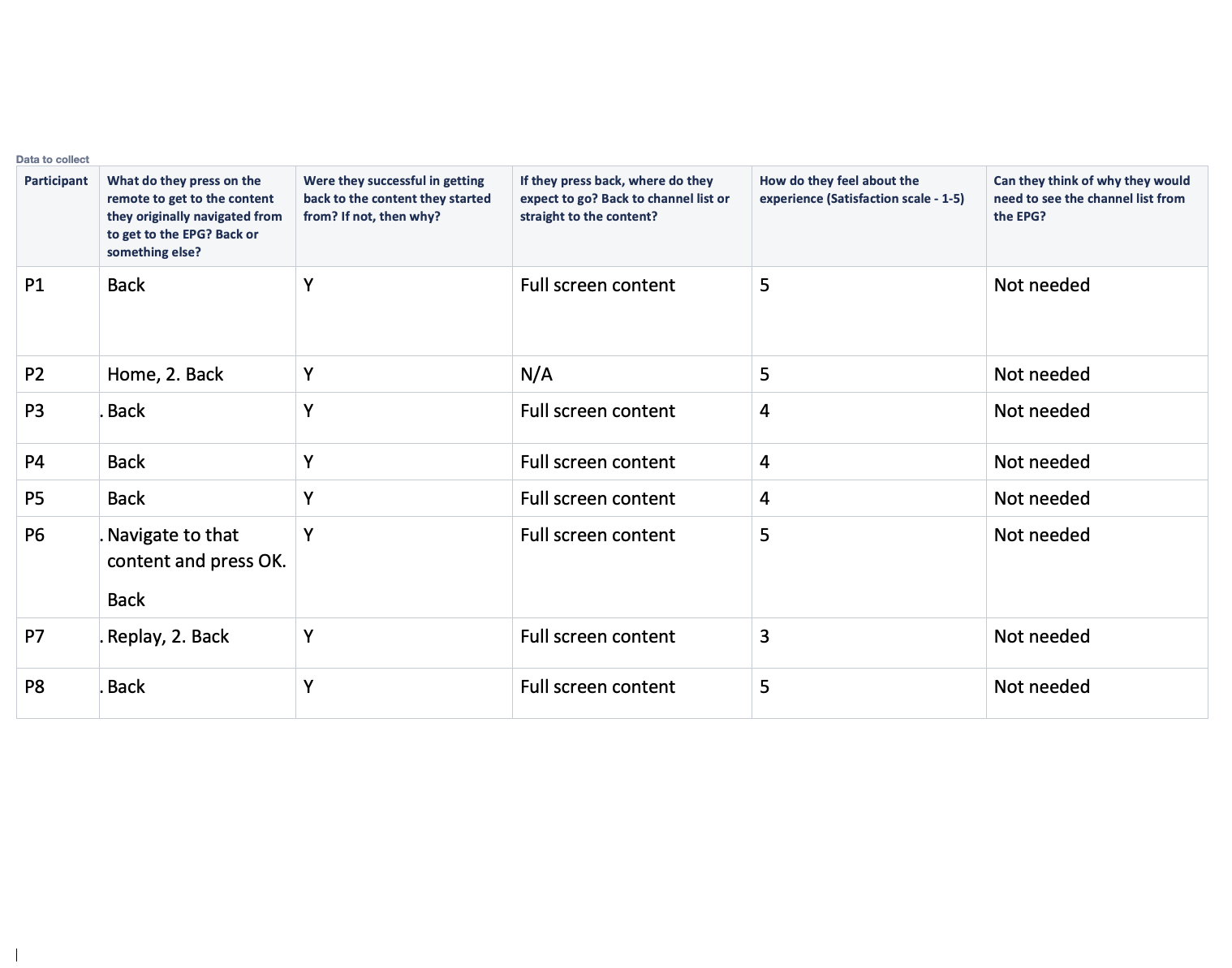
How do users expect to get back to the content they were watching from the EPG?
Find out if users have a real need or reason to go back to the channel list from the EPG? If so, when and why?
What do users expect to happen if they press the 'back' button on the remote, while they are on the EPG?
Outcomes
9/10 users expect to go to the content by pressing the back button from the EPG, Our hypothesis was correct.
4. DEVELOP